












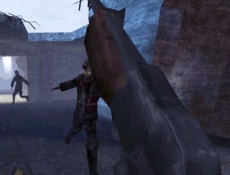
COD Zombies Browser is a wave-based shooter designed to run entirely inside a web browser. It adapts the familiar zombie survival format into a lightweight structure that emphasizes immediate access and short play sessions. After loading, the player is placed into a compact combat area where enemies appear in successive waves. The goal is to survive for as long as possible by managing movement, aiming, and limited resources. Each session stands on its own, with no saved progress or long-term systems carrying over between attempts.



COD Zombies Browser
Advertisement
Advertisement






COD Zombies Browser is a wave-based shooter designed to run entirely inside a web browser. It adapts the familiar zombie survival format into a lightweight structure that emphasizes immediate access and short play sessions. After loading, the player is placed into a compact combat area where enemies appear in successive waves. The goal is to survive for as long as possible by managing movement, aiming, and limited resources. Each session stands on its own, with no saved progress or long-term systems carrying over between attempts.
Browser Environment and Session Flow
The browser format shapes how COD Zombies Browser is structured. Matches begin quickly and do not require configuration, downloads, or account creation. Maps are designed to keep the player in constant contact with enemies, removing long travel distances or downtime. Zombie waves advance automatically, and difficulty increases through higher enemy counts and faster movement. This structure encourages repeated short sessions, where failure leads directly to a restart rather than extended recovery or loading screens.
Core Loop and Player Decisions
The gameplay loop is built around survival through repetition and awareness. Players must control space while eliminating zombies and avoiding being surrounded. Points earned from defeating enemies are used to interact with the environment, which adds a layer of decision-making under pressure. Because systems are limited, success depends on timing and positioning rather than complex mechanics.
Midway through each session, players consistently manage the same set of actions:
- Moving to maintain distance from enemies
- Aiming and firing using mouse controls
- Reloading weapons at safe moments
- Repairing barriers to slow zombie movement
- Adjusting position as waves increase
These actions repeat across waves, creating a steady rhythm that becomes more demanding as mistakes accumulate.
Controls and Interface Design
COD Zombies Browser uses a standard control scheme familiar to players of first-person shooters. Movement is handled through keyboard input, while aiming and shooting rely on the mouse. The interface displays only essential information such as health, ammunition, and score. There are no layered menus or complex overlays during active gameplay, allowing the player to focus on enemy behavior and spatial awareness without distraction.
Difficulty and Progression Model
Difficulty progression is handled through scaling rather than variation. Enemies become faster and more numerous, reducing the margin for error over time. There are no character upgrades, skill trees, or narrative events that alter the rules of play. This consistency allows players to learn patterns and improve execution across attempts. Each run becomes a test of efficiency and control rather than discovery.
Comments (0)


2026
