





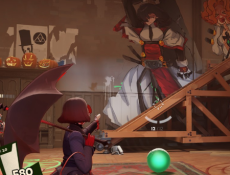
Deadlock mods are community-created files that modify how the game is displayed or managed on the player’s system. These modifications are not part of the official game build and are installed separately by users. In most cases, mods do not change gameplay rules, damage values, or match logic. Instead, they adjust visual elements, interface layout, or sound behavior. Because Deadlock is a multiplayer-focused title, mod usage is generally limited to client-side changes that do not affect other players in a match.



Deadlock Mods
Advertisement
Advertisement




Deadlock mods are community-created files that modify how the game is displayed or managed on the player’s system. These modifications are not part of the official game build and are installed separately by users. In most cases, mods do not change gameplay rules, damage values, or match logic. Instead, they adjust visual elements, interface layout, or sound behavior. Because Deadlock is a multiplayer-focused title, mod usage is generally limited to client-side changes that do not affect other players in a match.
Reasons Players Use Mods
Players use Deadlock mods to adapt the game to their personal preferences or technical needs. Some users want clearer interface elements, while others prefer different sound cues or visual indicators. Mods can also help reduce on-screen clutter or reorganize information during matches. Since these changes are local, they allow players to customize their experience without altering competitive conditions. Mods are optional and can be removed by deleting the modified files and restoring the default configuration.
Main Mod Categories
Deadlock mods are usually grouped by function rather than complexity. Most available mods fall into a small number of categories that focus on usability and presentation. Common mod types include:
- HUD mods that rearrange or resize interface elements
- Visual mods that change textures, colors, or models
- Audio mods that replace effects or notification sounds
- Menu mods that adjust navigation or layout behavior
- Accessibility mods that improve contrast or scaling
These categories reflect how players interact with the game rather than how the game itself operates.
Installation And Technical Limits
Installing Deadlock mods typically requires manual steps. Players must find the game installation directory, enable support for custom files if required, and place mod packages in the correct folders. Some mods may require editing configuration files, which carries a risk of errors if done incorrectly. Game updates can also affect mod functionality, causing certain mods to stop working until they are updated by their creators. For this reason, users often back up original files before installing any modifications.
Comments (0)


2026
