










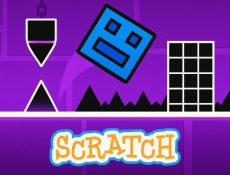
Geometry Dash Scratch is a simplified interpretation of the original Geometry Dash concept, rebuilt inside the Scratch programming environment. It focuses on jump-based challenges where the cube moves forward automatically while the player times jumps to clear obstacles. The Scratch engine uses block-based logic, so this version highlights how movement, collisions, and level scripts work in a more transparent way. Because of this, Geometry Dash Scratch serves both as a casual platformer and a demonstration of how platforming mechanics can be created through visual coding.



Geometry Dash Scratch
Advertisement
Advertisement







How the Game Controls Work
The control system in Geometry Dash Scratch relies entirely on a single action: jumping. When the player presses a key or taps the screen, the cube lifts off the ground; when the input stops, the cube descends. This creates a direct relationship between timing and survival. Since obstacles appear at regular intervals and spacing varies by level, the player must adjust jump duration and frequency with precision. The physics are based on Scratch’s built-in motion blocks, so the cube’s arc may feel different from the original game, encouraging players to adapt their timing.
Level Types and Community Influence
Geometry Dash Scratch includes levels created through Scratch’s editor, which lets users place spikes, platforms, moving objects, and animated backgrounds. Some creators design short practice layouts, while others build longer sequences that require memorizing patterns. Scratch also allows users to remix existing projects, meaning a single level can evolve through many variations as players edit code blocks and adjust layouts. This results in a wide selection of levels with different speeds, rhythms, and structures.
A short list of familiar elements found in Geometry Dash Scratch:
- Automatic forward movement
- One-button jump input
- Spike and platform placement
- Basic animations created with Scratch blocks
- User-made variations and remixes
Tips for Smoother Progression
To improve in Geometry Dash Scratch, players benefit from observing how each jump interacts with a level’s layout. Watching the cube for a few attempts helps identify which obstacles require early jumps and which can be cleared with shorter taps. Keeping a steady hand helps avoid accidental double-jumps, which often lead to hitting spikes. Players can also slow down and study custom level scripts if they want to understand how a stage functions before attempting a full run.
Geometry Dash Scratch remains active because it blends gameplay with creation tools in a clear and accessible way. Players can enjoy jump challenges while also exploring how each level is built behind the scenes. The ease of remixing projects encourages experimentation and allows beginners to try game design without needing traditional programming skills.
Comments (0)


2026
