




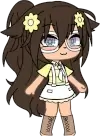
My Little Star is a character-creation game focused on building chibi-style avatars through a wide selection of visual elements. The experience starts with choosing a base model and adjusting its main features. Players can modify facial structure, hairstyle, outfit, and accessories in a step-by-step sequence. Once the basic form is ready, the game allows additional fine-tuning to complete a personalized character. The process does not rely on levels or competition, making creation the central activity.

My Little Star
Advertisement
Advertisement
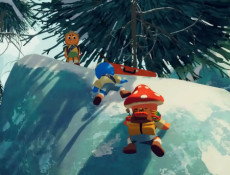
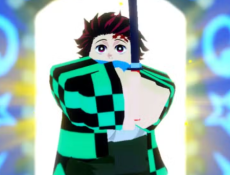
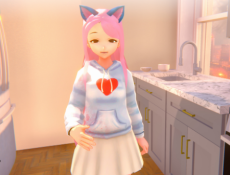
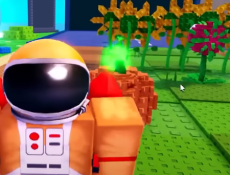
My Little Star is a character-creation game focused on building chibi-style avatars through a wide selection of visual elements. The experience starts with choosing a base model and adjusting its main features. Players can modify facial structure, hairstyle, outfit, and accessories in a step-by-step sequence. Once the basic form is ready, the game allows additional fine-tuning to complete a personalized character. The process does not rely on levels or competition, making creation the central activity.
Character Builder Structure
The character builder uses layered menus that separate different types of visual elements. Each category contains multiple options that can be combined without restrictions. Clothing, facial features, hairstyles, and color settings all appear as independent layers. Because every part of the character can be adjusted individually, the player can revisit earlier steps at any time to change details. This structure supports iterative design, where small adjustments gradually lead to a final result.
Main Customization Categories
During creation, the player interacts with several consistent categories that shape the character’s appearance:
- facial structure and eye design
- hairstyles with adjustable color options
- outfits including tops, bottoms, and full sets
- accessories that add additional details
- background settings for presenting the finished character
These categories create a predictable framework that guides the customization process.
Scene Arrangement And Presentation
After finishing a character, the player can move to a scene arrangement screen. This area allows positioning the avatar, choosing a background, and adding simple props. The composition can be adjusted by changing the character’s size, rotation, or placement within the scene. Players can also save multiple characters and place them together in the same setting. Scene creation adds a final layer that turns the character into a complete visual piece rather than a standalone design.
Saving And Output Options
My Little Star includes tools for saving completed images to the device or exporting them for sharing. The exported images can be used as profile pictures, decorative graphics, or shared artwork. Because characters and scenes can be saved as separate projects, the user can return later to modify them or create variations without starting from scratch.
Overall Use And Creative Flow
My Little Star functions as a simple creative tool that focuses on visual expression. Instead of game objectives, it offers freedom to explore combinations of styles and build personalized characters at a comfortable pace. The process encourages experimentation with shapes, colors, and accessories, while the scene mode provides a way to present the final designs. The result is a customizable experience that supports both quick creations and more detailed character building.
Comments (0)
2026
