








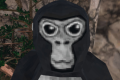
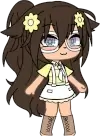
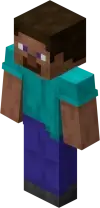
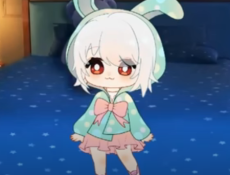
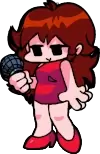
Pngtuber is a form of virtual streaming that allows creators to represent themselves on screen through static or reactive 2D images. It uses basic software to switch between two or more PNG images that respond to voice input. When the user speaks, the image changes to an “active” version, giving the impression of movement and expression. Pngtuber setups are popular among streamers who prefer a simple, lightweight alternative to 3D virtual avatars. The system requires minimal hardware and can be used alongside streaming platforms such as TWITCH or YOUTUBE.

PngTuber
Advertisement
Advertisement



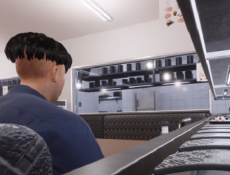

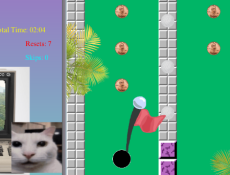
Pngtuber is a form of virtual streaming that allows creators to represent themselves on screen through static or reactive 2D images. It uses basic software to switch between two or more PNG images that respond to voice input. When the user speaks, the image changes to an “active” version, giving the impression of movement and expression. Pngtuber setups are popular among streamers who prefer a simple, lightweight alternative to 3D virtual avatars. The system requires minimal hardware and can be used alongside streaming platforms such as TWITCH or YOUTUBE.
Setup and Functionality
To use Pngtuber, a streamer prepares a set of PNG images representing different expressions or poses. A microphone is connected, and voice detection software tracks when the user is speaking. The program automatically swaps between the “talking” and “idle” images in real time. Some versions include additional customization, such as changing facial expressions, blinking, or reacting to volume levels. The process can be combined with overlays and backgrounds in standard broadcasting tools like OBS. The simplicity of setup allows new users to begin streaming quickly without complex animation.
Software and Main Features
Several tools and platforms support Pngtuber functionality, each offering different customization options.
Common Tools and Features:
- Applications such as Veadotube Mini or Pngtuber Plus for reactive avatars.
- Microphone-based audio detection for switching images.
- Support for transparent PNG files and layered expressions.
- Integration with OBS or other streaming software.
- Optional hotkey controls for manual avatar switching.
These programs allow creators to adjust sensitivity, timing, and transition speed. Most versions run efficiently on standard hardware and support drag-and-drop configuration for images and effects.
Use in Streaming and Community
The Pngtuber format has become common in independent streaming communities. It offers a simple way to create visual identity without using a camera or motion capture. Many creators use it as a starting point before moving to Live2D or 3D models. Pngtuber setups can also be customized to match a creator’s theme, art style, or content category. The format fits a wide range of activities, from gaming and podcasts to teaching and commentary.
Accessibility and Popularity
Because of its low system requirements, Pngtuber can be used on most computers, including laptops with basic hardware. The software typically runs in the background and consumes little processing power, making it compatible with simultaneous streaming or recording. Its accessibility has made it appealing for creators who focus on voice content rather than visual performance. As streaming platforms continue to expand, Pngtuber remains a consistent option for users seeking a minimal and efficient virtual presence without advanced animation or modeling tools.
Comments (0)
2026
