














Windows XP Simulator is a browser-based simulation that recreates the experience of using the Windows XP operating system. Instead of functioning as a real operating system, the simulator focuses on visual accuracy and interactive elements that resemble the original interface. Users can explore familiar windows, menus, and system sounds without installing any software. The experience is designed to replicate the look and basic behavior of the operating system rather than provide full functionality.



Windows XP Simulator
Advertisement
Advertisement










Concept And Simulation Purpose
The main purpose of Windows XP Simulator is to recreate the feeling of working within an older desktop environment. It allows users to interact with icons, open folders, and navigate menus in a way that mirrors the original system. The simulator does not perform real computing tasks, but it reproduces the layout and behavior closely enough to feel recognizable. This makes it useful for demonstration, nostalgia, or simple exploration of a classic interface.
Core Features And Interaction
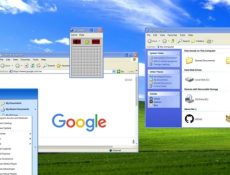
The simulator includes many elements commonly associated with Windows XP. Users can open windows, move them around the screen, and interact with basic applications. While the programs do not perform real functions, they behave similarly to their original counterparts in appearance and structure. Common features available in the simulator include:
- Desktop with icons and taskbar
- Start menu navigation
- Window resizing and movement
- Simulated system folders
- Basic built-in applications
These features work together to create a familiar environment without requiring technical knowledge.
Interface Design And Navigation
The interface closely follows the visual layout of Windows XP, including color schemes, window borders, and menu placement. Navigation is performed using standard mouse actions such as clicking, dragging, and selecting options from menus. The simulator is designed to be intuitive, allowing users to explore freely without instructions. Because it runs in a browser, no installation or configuration is required.
User Experience And Accessibility
Windows XP Simulator is accessible to a wide audience due to its simple design and low system requirements. It can be used for educational purposes, demonstration, or casual exploration. The simulator does not store data or require login, making it easy to start and exit at any time. Its structure allows users to revisit the interface as often as they want without progression or restrictions.
Comments (0)


2026
