


















Securing a control point can be more important than defeating another opponent in Hazmob FPS. This multiplayer first-person shooter combines combat with objectives that require different approaches to movement, weapon selection, and teamwork. Players compete on eight maps designed around corridors, open areas, and positions suitable for defensive play. The game does not contain a traditional storyline or a campaign with scripted characters. Its progression is based on multiplayer matches, completed challenges, and equipment upgrades.



Hazmob FPS
Advertisement
Advertisement



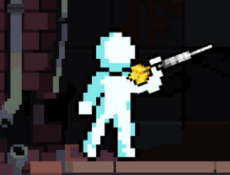

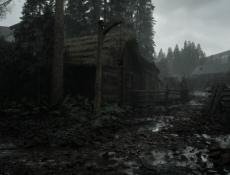
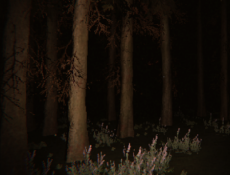

Every Map Requires a Different Approach
Players need to consider distances, available cover, and possible enemy routes before entering combat. Shotguns and submachine guns work well in narrow spaces, while sniper rifles are more useful when longer sightlines are available. Some modes encourage aggressive movement, while others reward defending a position. Quick Battle automatically places players into available matches, and custom games allow groups of friends to compete under selected conditions.
Beyond the Standard Deathmatch
Hazmob FPS includes seven multiplayer modes. Each introduces different rules for scoring points, winning rounds, or completing objectives.
The available modes are:
- Team Deathmatch: Earn points by eliminating opponents with teammates.
- Free for All: Compete individually against every other player.
- Search and Destroy: Plant or defuse a bomb during tactical rounds.
- Domination: Capture designated areas and maintain control.
- Capture the Flag: Retrieve the opposing team’s flag.
- Elimination: Defeat enemies without relying on immediate respawns.
- Gun Race: Advance through different weapons by earning eliminations.
Improving Your Equipment and Performance
Players can earn currency and experience by participating in matches and completing daily or weekly missions. The game contains over 55 customizable firearms, including assault rifles, shotguns, sniper rifles, submachine guns, and light machine guns. Attachments, weapon skins, and clothing provide additional customization options. Competitive clan rankings track trophies and experience.
To play Hazmob FPS, move with WASD, aim using the mouse, and shoot with the left mouse button. Right-click or V activates aiming, Shift enables sprinting, and C makes the character crouch. Press Space to jump, G to pick up weapons, and 1–3 to switch firearms. Keys 4–6, E, and Q activate assigned skills. There are no numbered story levels; players advance by gaining experience, unlocking equipment, and improving their competitive results.
Comments (0)


2026
