
























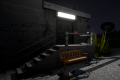
A stretch of pavement, a staircase, and a handrail provide several ways to practice skateboarding in Skate 3 Browser. This unofficial adaptation of Skate 3 focuses on controlling a skater, exploring urban environments, and performing tricks using a physics-based movement system. Players can experiment with jumps, grinds, and combinations without following a mandatory storyline. The main objective is to develop skateboarding skills and complete increasingly complicated maneuvers across different obstacles.


Skate 3 Browser
Advertisement
Advertisement

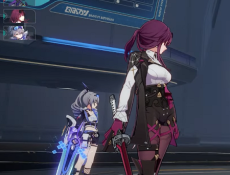

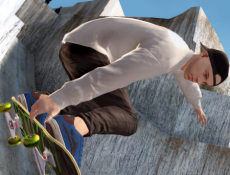
A stretch of pavement, a staircase, and a handrail provide several ways to practice skateboarding in Skate 3 Browser. This unofficial adaptation of Skate 3 focuses on controlling a skater, exploring urban environments, and performing tricks using a physics-based movement system. Players can experiment with jumps, grinds, and combinations without following a mandatory storyline. The main objective is to develop skateboarding skills and complete increasingly complicated maneuvers across different obstacles.
Exploring Skate Parks and Urban Areas
The game features locations associated with Port Carverton, including the University district and skateboarding parks. Each environment contains ramps, ledges, rails, and open areas suitable for practicing tricks. Players can approach obstacles from different directions and experiment with their speed before attempting jumps. Freeskate allows exploration without requiring specific challenges to be completed. Available locations depend on the browser adaptation being used.
Learning Tricks and Controlling the Skater
Skate 3 Browser uses a control system based on directional movements rather than a single trick button. Players steer with WASD and press Space to push forward. The arrow keys simulate the right analog stick, allowing different trick inputs. Pressing Down followed by Up performs an ollie.
Players can practice actions such as:
- Accelerating and steering around obstacles.
- Performing ollies and skateboard flips.
- Grinding along rails and ledges.
- Jumping from ramps and staircases.
- Combining several tricks during one run.
- Recovering after unsuccessful landings.
Movement speed influences the distance and height of jumps. Players must also consider their approach angle and landing position. Incorrect timing can cause the skater to lose balance and fall. Repeating a maneuver helps players understand how different movements affect the skateboard.
Freeskate and Game Progression
Skate 3 Browser is primarily centered on Freeskate rather than numbered levels. Players choose a location and explore its available obstacles at their own pace. The original Skate 3 includes a career storyline involving the creation of a skateboarding company, but this campaign is not necessarily available in browser adaptations. Difficulty settings such as Easy, Normal, and Hardcore may be included, changing how forgiving the skating mechanics feel. Progress in Freeskate comes from practicing movements, discovering suitable trick locations, and successfully completing combinations.
Comments (0)


2026
