

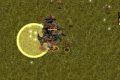
























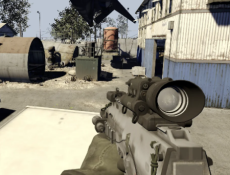
Combat in MW2 Browser takes place across multiplayer maps where soldiers compete to eliminate opponents and complete match objectives. The game recreates the multiplayer experience of Call of Duty: Modern Warfare 2, focusing on first-person shooting, weapon customization, and tactical movement. Players can join existing matches or create their own sessions with friends and computer-controlled enemies. There is no single-player story campaign, as the gameplay centers on separate battles with adjustable rules.


MW2 Browser
Advertisement
Advertisement


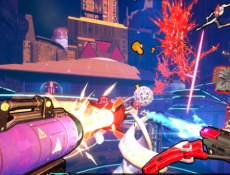
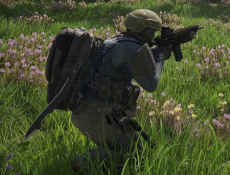

Combat in MW2 Browser takes place across multiplayer maps where soldiers compete to eliminate opponents and complete match objectives. The game recreates the multiplayer experience of Call of Duty: Modern Warfare 2, focusing on first-person shooting, weapon customization, and tactical movement. Players can join existing matches or create their own sessions with friends and computer-controlled enemies. There is no single-player story campaign, as the gameplay centers on separate battles with adjustable rules.
Multiplayer Modes and Maps
Before entering combat, players select a map and game mode. Free-for-All requires each participant to compete independently and earn eliminations. Team Deathmatch divides soldiers into opposing groups that compete for kills. Search and Destroy introduces objectives involving planting or defending explosives, with players needing to coordinate their actions. Maps contain buildings, corridors, open areas, and obstacles that influence movement and combat strategies.
Weapons and Combat Mechanics
Players can create custom classes before starting a match. These configurations determine their equipment and approach to combat. Different weapons suit different distances, while tactical equipment helps players respond to enemy positions.
The main gameplay actions include:
- Moving around maps and searching for opponents.
- Aiming and shooting with equipped firearms.
- Switching between standing, crouching, and prone positions.
- Throwing grenades to attack enemies or disrupt their movements.
- Reloading weapons and using melee attacks.
- Checking the scoreboard during a match.
Combat requires monitoring ammunition, taking cover, and reacting to enemies approaching from different directions. Players respawn after elimination in modes that allow it, while objective-based matches may impose additional restrictions. Learning the map layout helps identify useful positions and routes between objectives.
Match Settings and Controls
Players can host matches and adjust settings such as the time limit, number of bots, and map rotation. Private sessions can also be created using passwords. These options make it possible to organize different types of battles without following a fixed level sequence.
Movement uses WASD, while the mouse controls aiming. Left-click fires, right-click aims down sights, and R reloads. Shift activates sprinting, Space jumps, and Ctrl allows going prone. Progression focuses on improving combat performance, experimenting with weapon classes, and winning matches rather than completing story missions.
Comments (0)


2026
